If you are choosing your first machine with a budget between $500 and $3,000, it is easy to get stuck comparing a laser engraver and a CNC router as if they were two versions of the same tool.
They are not.
They can both produce beautiful work. They can both help you start a small business, personalize products, or make satisfying objects at home. But they do fundamentally different things to material, and that difference matters more than any feature list.
That is the real decision.
A laser is excellent when you want speed, surface engraving, thin-material cutting, and a lighter workflow. A CNC router is the right tool when you want real depth, thicker materials, and results that feel carved instead of marked.
So the question is not “Which machine is better?”
It is:
What do you want your first machine to physically do?
The fundamental difference - what each machine does to material
The clearest way to compare these machines is to ignore marketing for a moment and focus on the physical action.
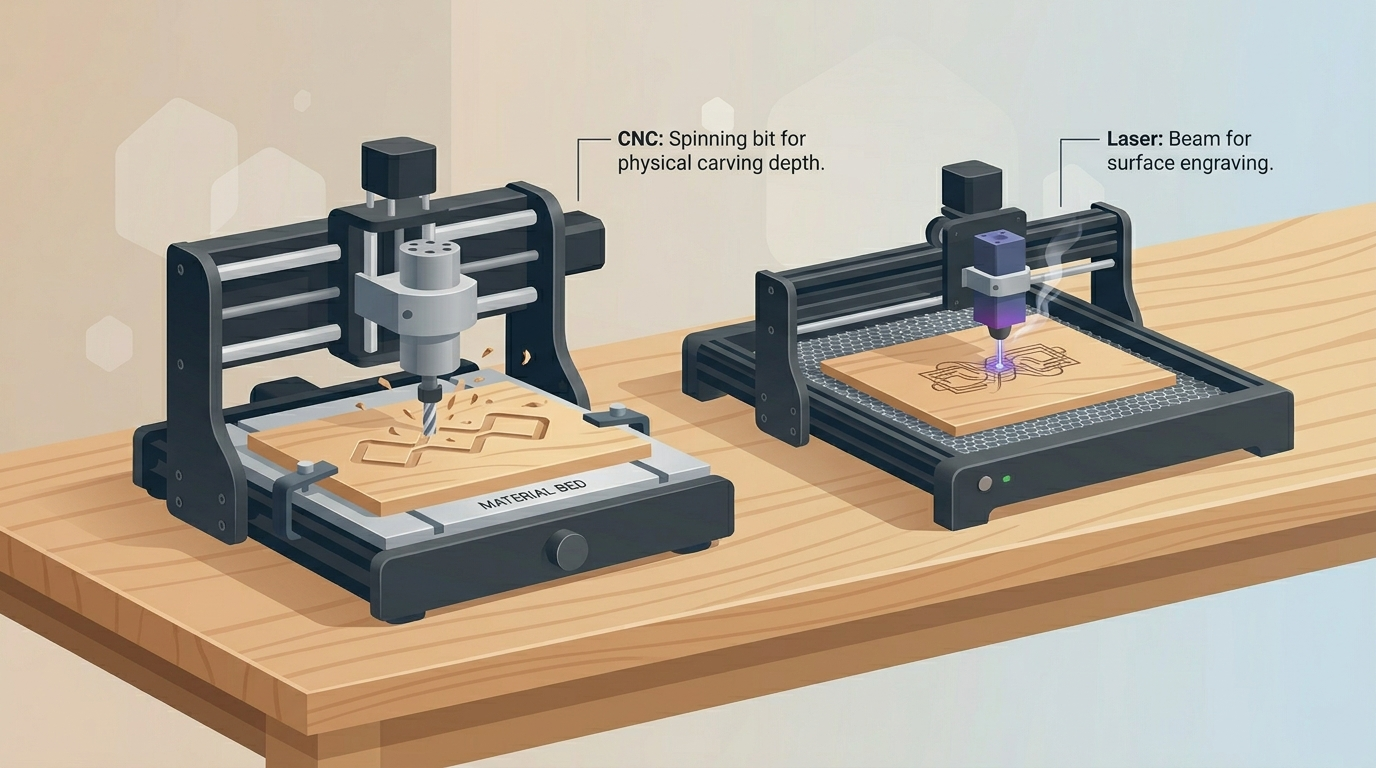
A laser engraver uses concentrated light and heat.
A CNC router uses a spinning cutting bit that physically removes material.
Everything else follows from that.
Laser engraver: burns or vaporizes the surface
A laser engraver works by focusing energy onto the surface of the material. Depending on the machine and the material, it can darken the surface, burn away a fine layer, engrave shallow detail, or cut through thin stock.
That makes lasers feel fast and approachable. For many beginners, the first results come quickly. You can import a design, position the material, run the job, and get something clean and usable without much setup friction.
That is a real advantage.
But it is important to understand what kind of result you are getting. In most beginner use cases, laser engraving is primarily a surface effect. Even when it cuts or engraves well, it does not create the same kind of carved geometry as a CNC router.
CNC router: removes material with a spinning bit (real depth)
A CNC router cuts by moving a spinning bit through the material. It does not mark the surface with heat. It actually removes wood, plastic, or other machinable material.
That means it can create pockets, grooves, beveled edges, reliefs, carved letters, trays, contour cuts, and dimensional surfaces with real physical depth.
That difference is not just visual. It changes how the piece looks in light, how it feels in the hand, and what kinds of products you can make.
If your goal involves words like carved, machined, textured, relief, or depth, you are usually in CNC territory.
What a laser engraver does best
A laser is not the “lighter” version of a CNC router. It is a very strong tool in its own category, and for some buyers, it is clearly the better first machine.
Speed on thin materials
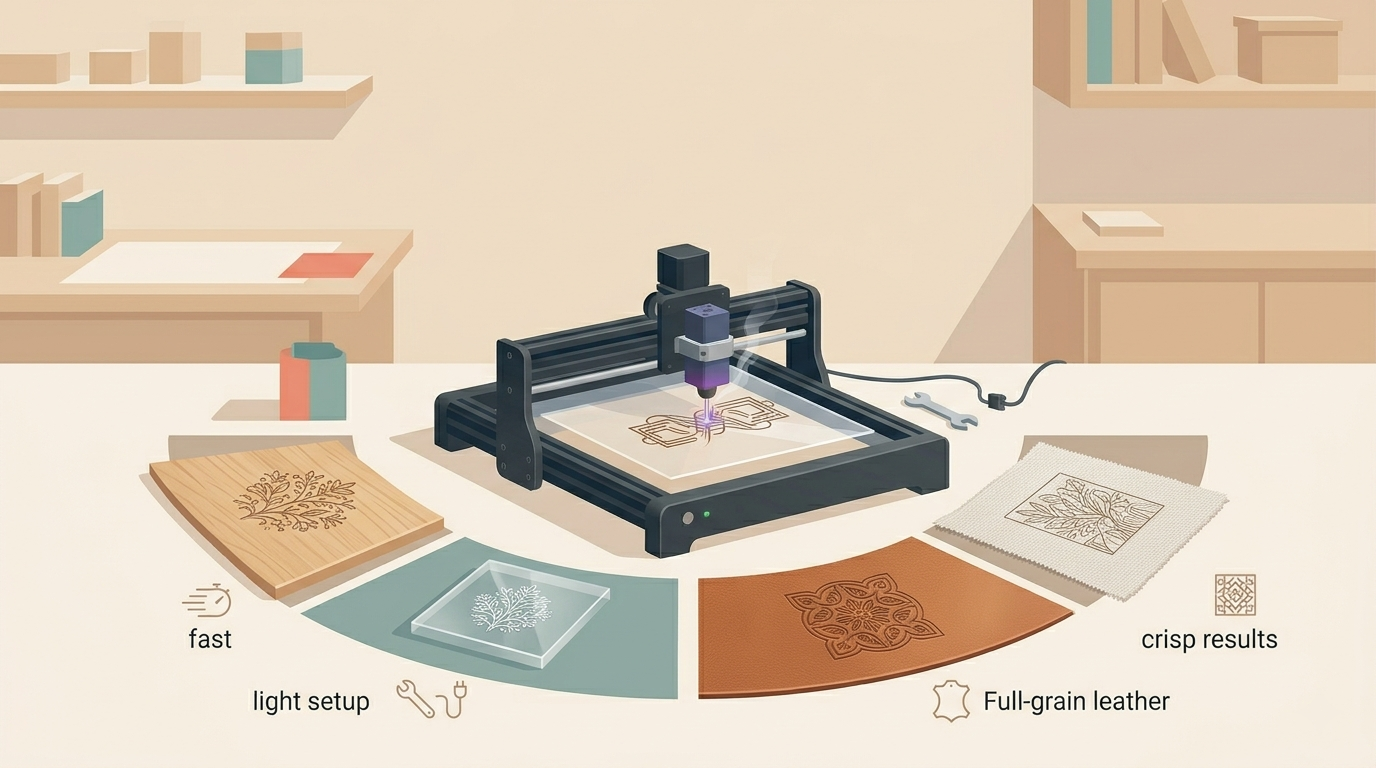
If you want to move quickly, a laser usually feels faster and easier to live with.
It is especially strong for thin wood sheets, painted panels, cardstock, leather, paper-based projects, acrylic applications, and lightweight decorative products. For someone who wants quick turnaround, fast product testing, or simple customization workflows, that matters a lot.
This is one reason lasers are attractive for small product businesses. You can go from design to finished part with less setup overhead and less mechanical complexity.
Photo engraving - fast, accessible, but surface-only
This is one of the biggest reasons beginners gravitate toward lasers.
Photo engraving with a laser is accessible. You can turn an image into an engraved result relatively quickly, and the output can look sharp and appealing. For gifts, commemorative pieces, product personalization, and decorative panels, that is often enough.
But there is an important limit: the effect is mainly tonal and surface-based. You are reading contrast, burn intensity, and texture on the face of the material. You are not getting sculptural depth.
That is not a flaw. It is simply the nature of the process.
Clean cuts on fabric, leather, acrylic
A laser is often the better first machine if your project ideas live in this area.
Leather goods, stencils, thin acrylic parts, lightweight signage, paper goods, fabrics, ornaments, and small flat products are all very natural laser workflows. In those cases, the machine feels aligned with the material and the result.
A CNC router can sometimes participate in adjacent work, but it is usually not the elegant first choice there.
Lower setup overhead
For beginners, this point is often underestimated.
A laser often asks less of you upfront. You usually spend less time thinking about cutters, pass depth, workholding, chip evacuation, and machining strategy. That makes it easier to get early wins.
If you are not yet sure how deep you want to go into digital fabrication, that lower setup overhead can be a very rational reason to start with a laser.
What a CNC router does that a laser cannot
This is where the decision becomes much clearer.
If the result you want depends on actual carved form, a laser cannot replace a CNC router.
3D depth - real grooves, pockets, reliefs
A CNC router creates real geometry in the material.
That means recessed signs, trays, relief carvings, pockets, chamfers, joinery features, edge details, topographic surfaces, and sculpted woodwork are all possible in a way that feels physical and permanent.
This is the key distinction: a laser changes the surface. A CNC router shapes the material.
For some people, that difference is minor. For others, it is the entire reason they want a machine.
Photo v-carving - sculptural portraits with natural wood depth
This is one of the strongest reasons to choose a CNC router as a first machine if image-based work is what attracts you.
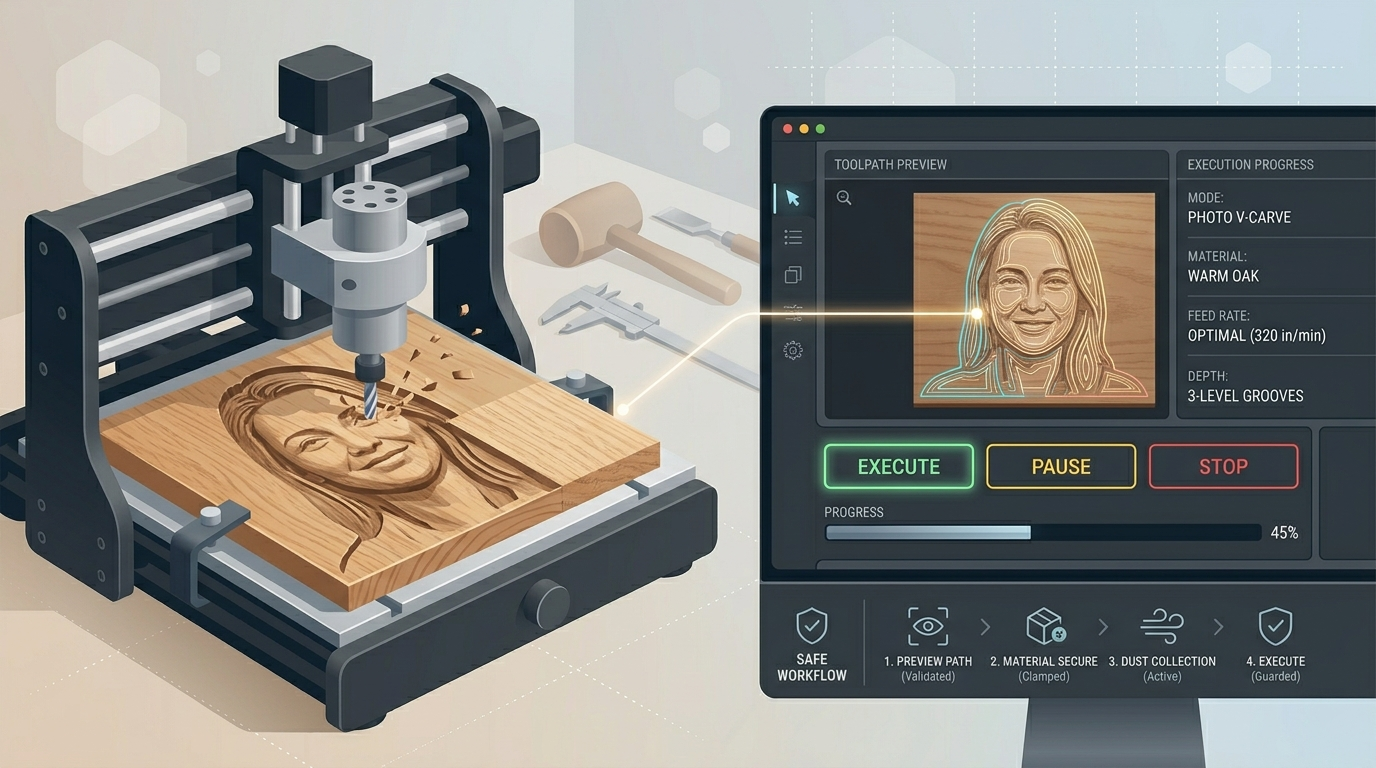
Photo v-carving produces portraits and images by carving toolpaths into the wood, using geometry and depth to create the final look. The result is not just visible. It is carved into the material, with natural shadow and real physical presence.
That gives CNC portraits a very different feel from laser photo engravings.
A laser portrait can look clean and attractive. A CNC photo v-carving can feel like an object.
That distinction matters if you are drawn to premium-looking portrait plaques, memorial pieces, decorative panels, or wood art with tactile depth.
Cutting thick materials
A CNC router is much more comfortable working with thicker stock.
If you want to cut and shape hardwood boards, machine thicker wooden parts, carve trays, make functional components, or build projects that go beyond sheet-based decoration, CNC becomes the stronger foundation.
This is often the dividing line between “decorating surfaces” and “making carved objects.”
Lithophane carving
If you are interested in depth-based image work such as lithophane-style carving, a router opens possibilities that depend on real thickness variation.
Again, the theme is the same: if the final result depends on physical depth, the CNC router is doing something the laser simply is not built to do.
Price comparison: entry-level laser vs entry-level CNC router
In the $500-$3,000 range, both categories are available, but they do not offer value in exactly the same way.
Lasers often look more accessible at the low end. You can enter the category with a smaller budget and still get a machine that feels useful quickly. That makes laser a very attractive first purchase when budget flexibility is limited.
CNC routers usually ask for a bit more seriousness upfront. A truly worthwhile beginner CNC setup often starts higher, and total setup costs can rise once you include bits, workholding, spoilboards, and dust management.
So if the question is only “Which machine is easier to buy into?” the answer is often laser.
But that is not the same as asking which machine is right for your intended result.
If your real goal is carved depth, buying a lower-cost laser because it is cheaper can still be the more expensive mistake. You may simply end up buying the CNC later anyway.
Learning curve comparison
Laser generally has the friendlier first week. CNC often has the more rewarding long-term depth.
A laser tends to give early visual results faster. For many beginners, that makes the experience feel less intimidating. The workflow is often lighter, the feedback loop is shorter, and the number of technical variables feels smaller.
A CNC router asks more from the operator. Tool choice matters. Workholding matters. Depth of cut matters. Simulation matters. Mistakes can be more costly and more physical.
But that does not mean CNC is unsuitable for beginners.
It means CNC benefits from a guided workflow.
This is exactly why software matters so much in CNC. A beginner usually does not fail because the machine is impossible. They fail because the process feels fragmented, unclear, or unsafe. Good tooling and good software remove a lot of that friction.
Decision framework: choose laser if… / choose CNC if…
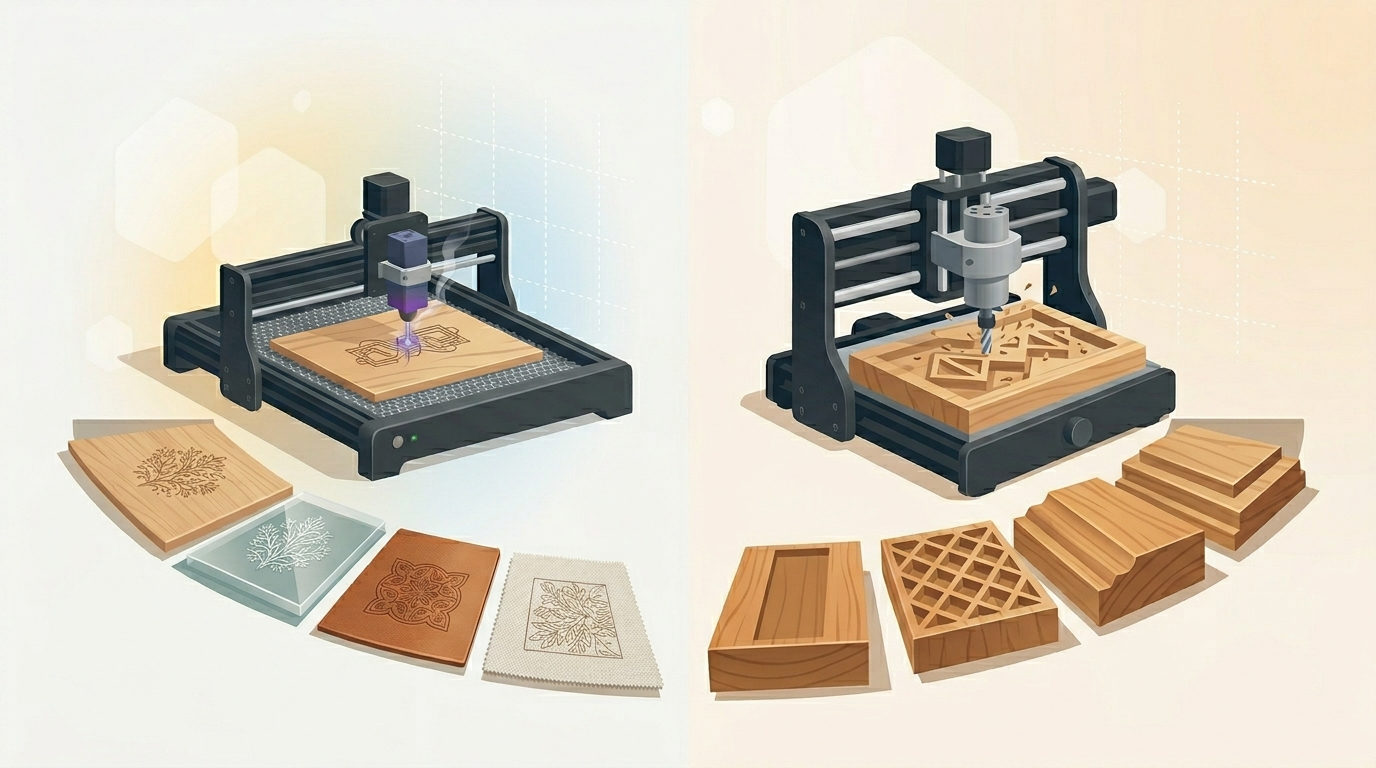
Choose a laser engraver if:
- you want fast output on thin materials
- you care about surface engraving more than carved depth
- you want lower setup overhead
- you want quick wins and simpler early workflows
- your projects focus on leather, acrylic, fabric, ornaments, flat signage, or personalization
Choose a CNC router if:
- you want to shape material, not just mark it
- you care about grooves, pockets, reliefs, and real depth
- you want to work with thicker stock
- you are specifically interested in photo v-carving
- you want results that feel carved, tactile, and premium in wood
A useful way to decide is this:
Choose laser if you mainly want to decorate the surface.
Choose CNC if you want to create form in the material.
That is the cleanest mental model.
Can you do photo portraits well with a laser? (honest answer: surface-only, no physical depth)
Yes, you can.
A laser can produce attractive photo portraits, and for many people the result is more than good enough. It is fast, accessible, and visually effective.
But it is still a surface interpretation.
If what you want is a portrait that looks engraved onto the wood, laser can absolutely work.
If what you want is a portrait that feels carved into the wood, with real grooves, changing line width, and natural shadow depth, that is where CNC clearly separates itself.
That is not marketing language. It is a material reality.
Final answer: which should be your first machine?
There is no universal winner.
A laser is often the better first machine when you want speed, lighter setup, thin-material work, and fast surface-based output.
A CNC router is often the better first machine when you want dimensional carving, thicker materials, tactile results, and image-based carving techniques like photo v-carving.
The right answer depends on the physical result you actually want to make.
If your instinct is “I want to mark, engrave, cut thin sheets, and get going quickly,” start with laser.
If your instinct is “I want to carve, shape, pocket, and create depth in wood,” start with CNC.
And if your choice is CNC because what you really want is photo v-carving with real material depth, the workflow matters just as much as the machine.
If a CNC router is your choice and you want to start with photo v-carving, HCraft makes the process guided and safe - simulation before every cut.
HCraft is built to make photo v-carving approachable. It guides the process, generates the toolpath, and runs the path visually before the machine ever starts cutting. That simulation step matters because beginners should be able to see what the tool will do before committing material.
In practice
HCraft generates G-code for photo v-carving and simulates it before export — you never touch G-code by hand.